
Export a Disposition Table
Provision enables users to organize and track key information in large contracts or specifications. This guide walks through how to export a disposition table to compare revisions.
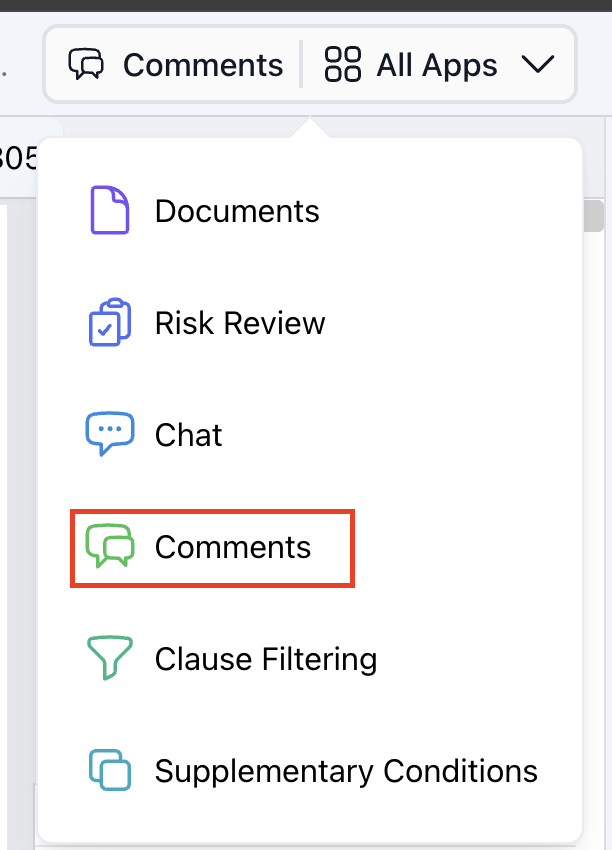
Step 1: Navigate to the 'Comments" workflow in 'All Apps'. |
 |
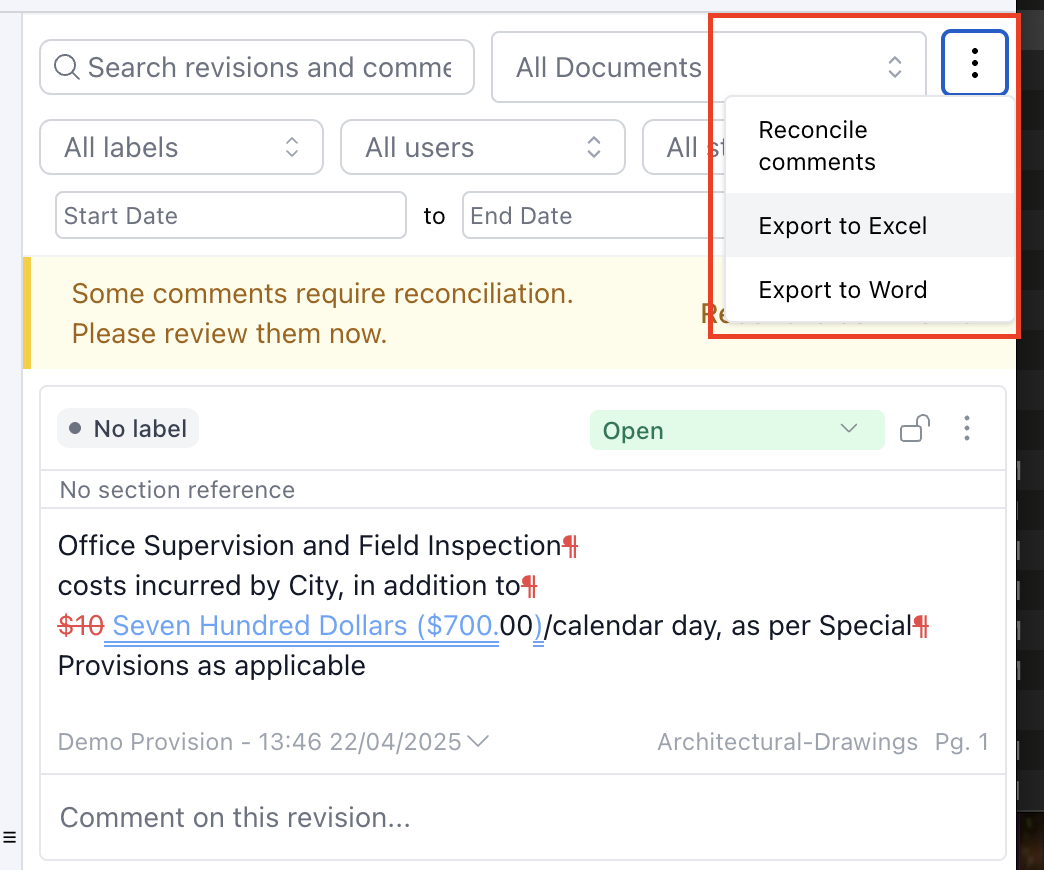
Step 2: Click the three-dot menu and select Export to Excel. This serves as a complete disposition table, eliminating the need to create one manually. The export includes:
|
 |