
Using Chat
The Chat feature in Provision lets you ask natural language questions and get accurate, sourced answers. You can use it to explore your contracts, understand key clauses, and even simulate real-world project scenarios.
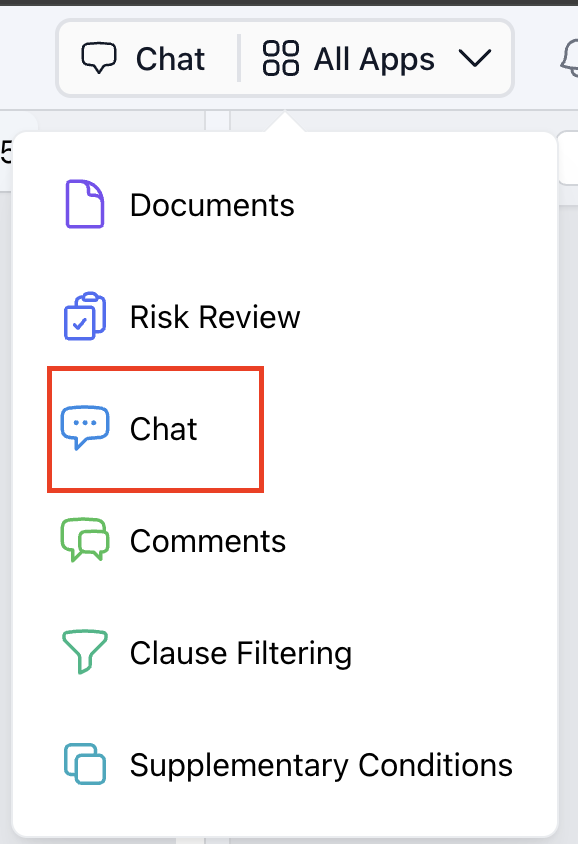
Step 1: Navigate to 'Chat' from the 'All Apps' dropdown. |
 |
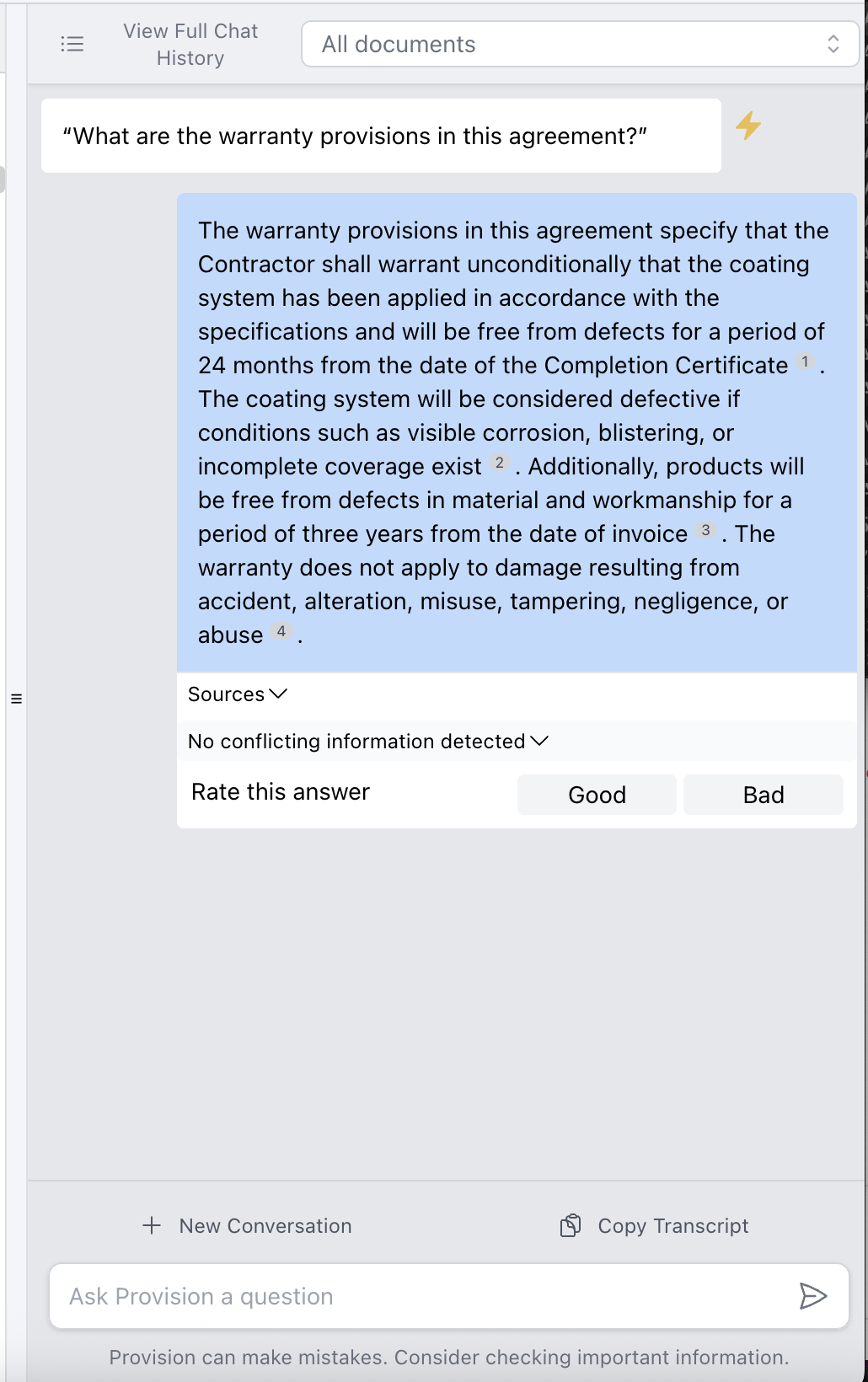
Step 2: Ask complete questions, avoid single-word entries like “warranty.” These won’t return results.
|
 |
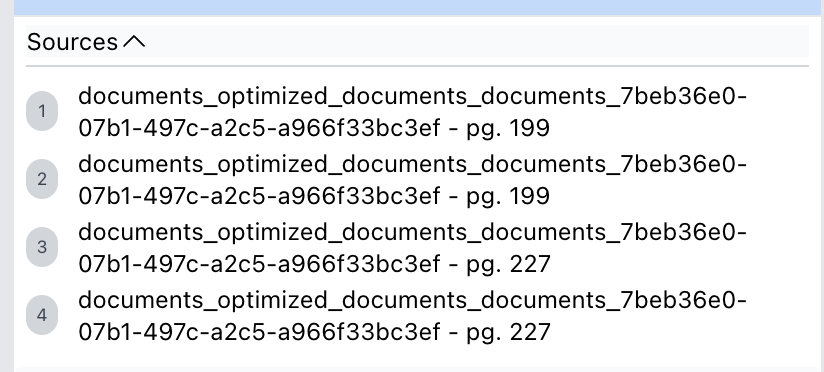
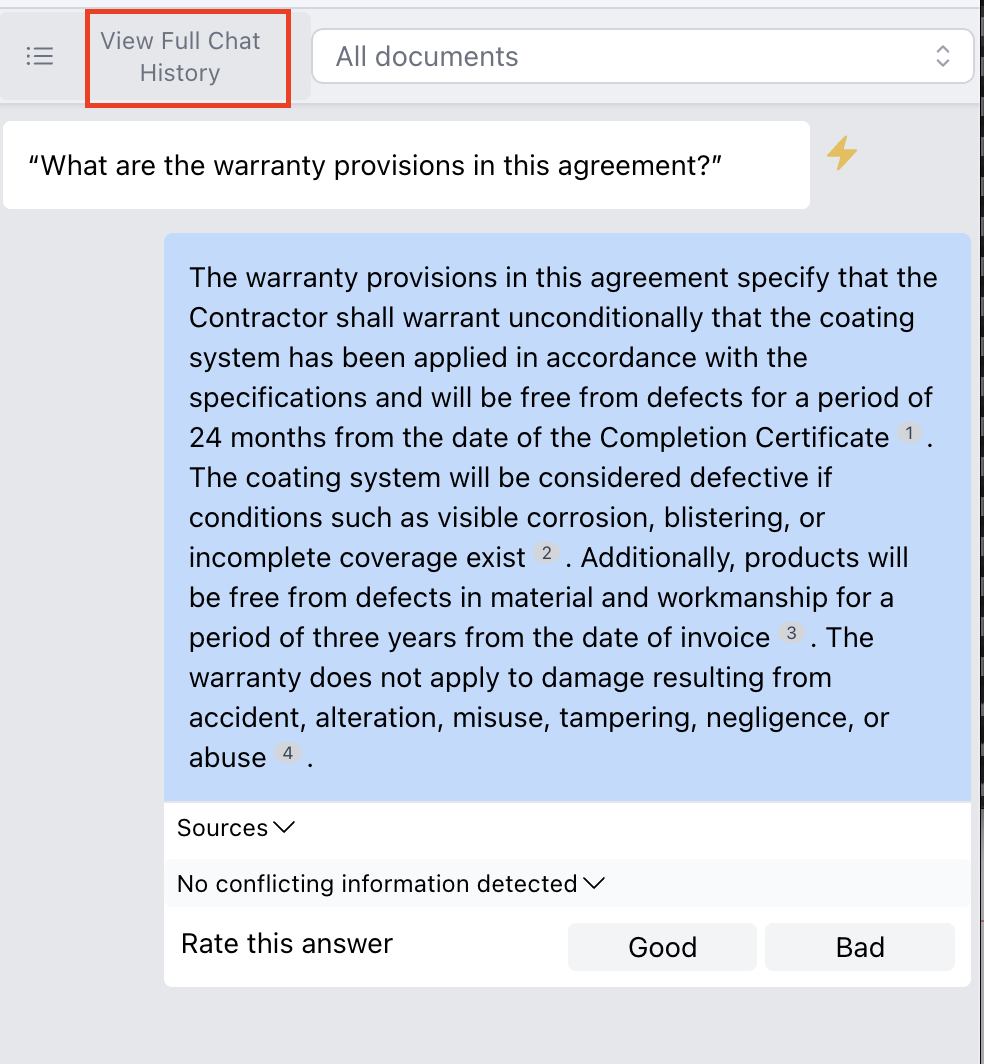
Step 3: The chat pulls content across all documents and gives answers with clickable citations (e.g., [1], [2]). |
 |
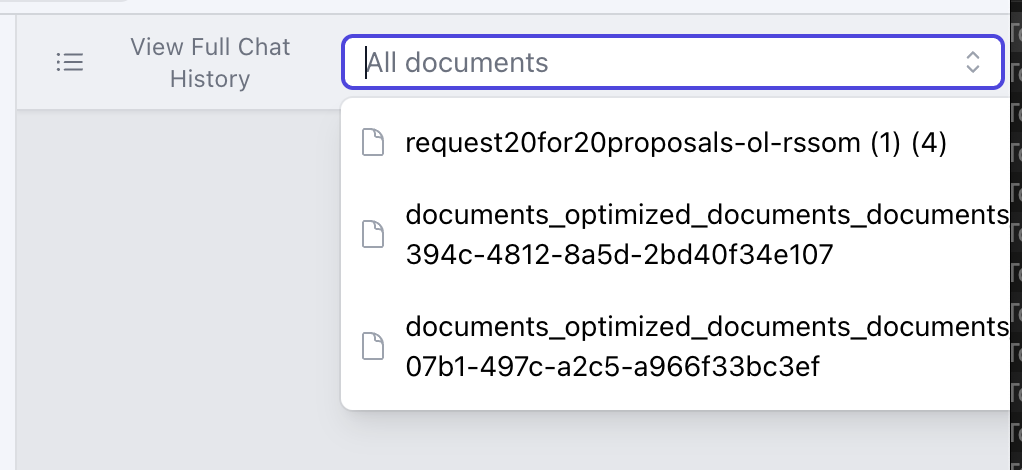
Step 4: Limit search scope by using the document dropdown to restrict your query to one or more specific documents. |
 |
Step 5: Add frequently asked questions to a Custom Check List by clicking the yellow lightening bolt next to the chat response. |
 |
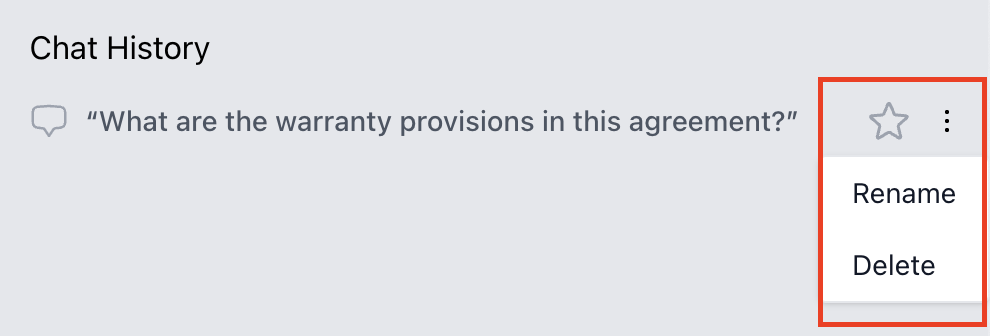
Step 6: Click "View Full Chat History" to see all past conversations. From there, you can:
|
  |