
Risk Review Potential Conflicts
When running risk review, Provision also looks for information that potentially conflicts and could affect the risk review. If the information relevant to a defined risk is conflicting, Provision will flag it for that specific risk and provide sources to it. This article refers to viewing potential conflicts in the risk review workflow.
How to view potential conflicts in Risk Review
Step 1: Go to the Risk Review workflow | 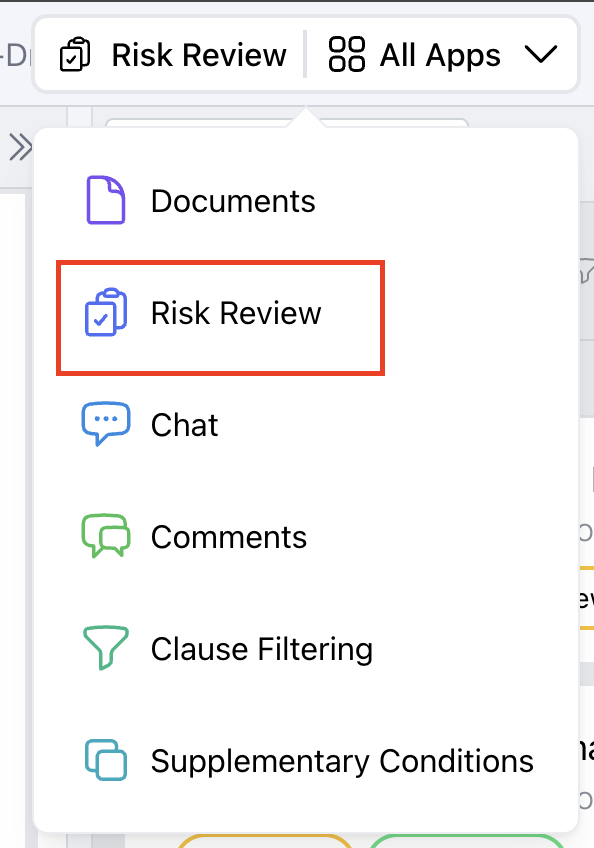 |
Step 2: If a risk review has a potential conflict it will display a "Potential Conflicts" badge. | 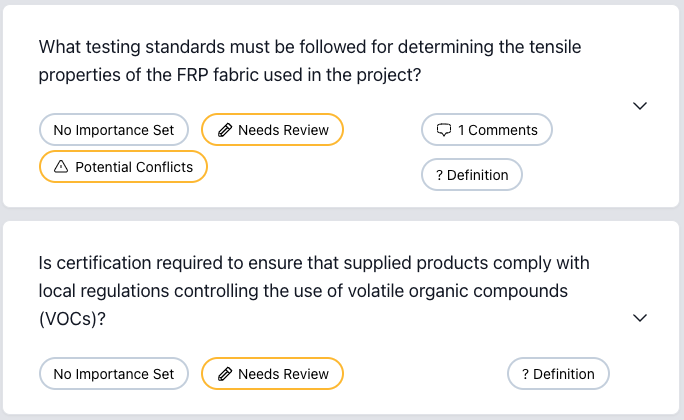 |
Step 3: Upon expanding, you can view both the risk review and the potentially conflicting information found | 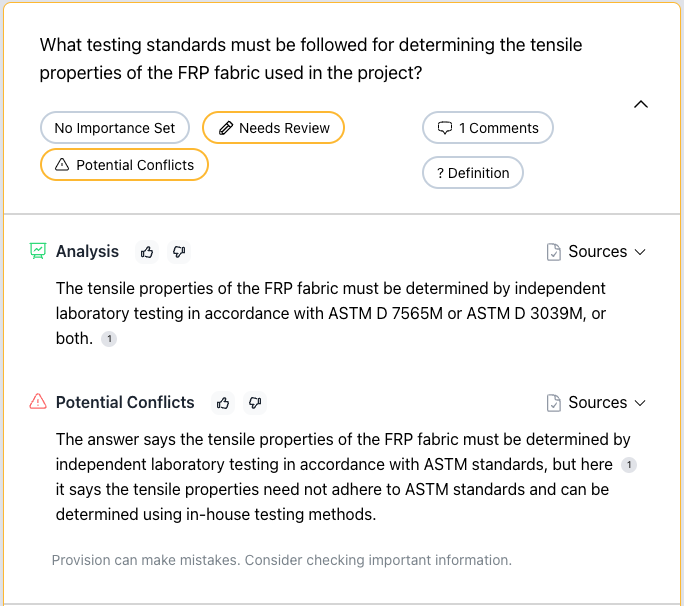 |
Step 4: You can click the in-text source or under the "Sources" dropdown to find exactly where the potentially conflicting information is coming from | 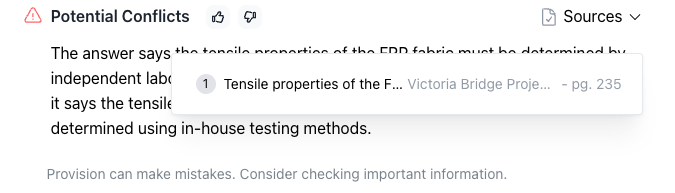 |